

Whenever you switch jobs, your Provident Fund (PF) account changes too.
This means you may end up with multiple PF accounts.
Instead of leaving them separate or withdrawing money, it’s better to transfer your old PF to your new account.
This helps you:
Keep all your savings in one place
Continue earning interest
Maintain your service record for pension benefits
Why Transferring PF Is Better Than Withdrawing
Your PF is meant for your future, especially after retirement.
If you transfer your PF instead of withdrawing it:
Your money keeps growing with interest
You benefit from long-term compounding
You avoid unnecessary tax deductions
For example, if your total service crosses 5 years, you can avoid TDS on withdrawal.
By transferring PF, your past and current service get combined, helping you reach that limit faster.
Also, for pension benefits, you need at least 10 years of service.
PF transfer ensures your previous work period is not lost.
How to Apply for PF Transfer
To transfer your PF, you need to apply online through the Employees’ Provident Fund Organisation portal.
You will need to fill Form 13, which is used to transfer your PF balance and service details from your old account to the new one.
After submitting the form online, you may also need to:
Download it
Sign it
Submit it to your previous employer’s trust (if applicable)
Important Details You Must Have Ready
Before applying, make sure you have:
An active UAN (Universal Account Number)
Aadhaar and bank details linked to your UAN
Active mobile number for OTP verification
Date of exit updated from your previous job
Approved e-KYC by your employer
Without these, your PF transfer request may get delayed.
Step-by-Step Process to Transfer PF
Here’s how you can transfer your PF online:
Log in to the EPFO Unified Portal
Go to “One Member – One EPF Account (Transfer Request)”
Check your personal and current PF details
Click “Get Details” for your previous PF account
Choose employer (old or current) for verification
Request OTP and submit the form
Once submitted, the system generates Form 13 for further processing.
What Happens After You Submit the Request
After submission:
Your previous employer processes the request
An important document called Annexure K is created
It includes your total PF balance, interest, and service details
Funds are then transferred to your current PF account
This ensures your entire PF history moves smoothly to your new account.
How to Check If Your PF Is Transferred
You can easily track your PF transfer status online.
Log in to the EPFO portal
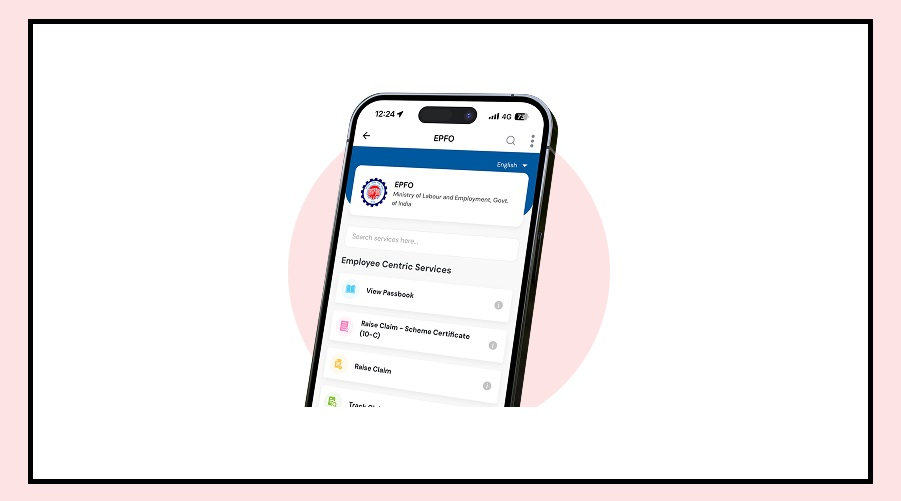
Go to “View Passbook”
Enter your UAN and password
If the transfer is complete, you will see the amount credited in your latest passbook.
Final Takeaway
Transferring your PF when changing jobs is a smart financial move.
It helps you:
Grow your savings
Save tax
Secure your pension benefits
Instead of withdrawing your PF, always choose to transfer it and keep your financial future strong.