

TheBankTodayTheBankTodayTheBankToday
Notification Show More
Font ResizerAa
  • Home
  • Banking
  • SBI
  • ATM Card
  • NEFT/UPI
  • Central Bank
  • Important
Reading: EPFO KYC update Needed for PF Claims
Share
Font ResizerAa
TheBankTodayTheBankToday
  • Home
  • Banking
  • SBI
  • ATM Card
  • NEFT/UPI
  • Central Bank
  • Important
Search
  • Home
  • Banking
  • SBI
  • ATM Card
  • NEFT/UPI
  • Central Bank
  • Important
Have an existing account? Sign In
Follow US

Home » EPF

epfo result
EPF

EPFO KYC update Needed for PF Claims

Takendra Verma
Last updated: 19/04/2026 6:24 PM
Takendra Verma
Published: 19/04/2026
Share
SHARE

Planning to withdraw your PF money? Before you do that, there’s one important step you shouldn’t miss—updating your bank KYC on the Employees’ Provident Fund Organisation portal.

Contents
Why Updating KYC Is ImportantHow to Update Bank KYC OnlineImportant Things to RememberHow to Check KYC StatusFinal Take

The good news is you don’t need to visit any office.

You can complete the entire process online using your phone in just a few minutes.

Updating your KYC helps you avoid unnecessary tax deductions, makes withdrawals smoother, and ensures easy transfer of funds when you change jobs.

Why Updating KYC Is Important

Your KYC details act as a verification step for your PF account.

If your bank details are not updated or verified, you may face delays in withdrawing money.

In some cases, higher tax deductions can also apply.

It’s also important when you want to transfer your PF balance from an old job to a new one without issues.

How to Update Bank KYC Online

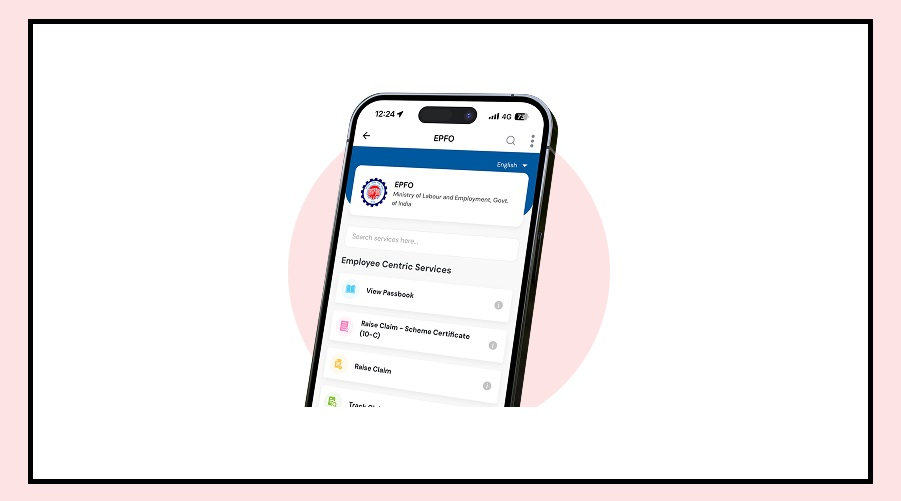
You can easily update your bank details through the EPFO Member e-Sewa Portal.

Here’s a simple step-by-step guide:

Log in using your UAN number and password

Go to the “Manage” tab and click on “KYC”

Select the “Bank” option

Enter your bank account number and IFSC code

Verify using OTP sent to your Aadhaar-linked mobile number

Add your PAN details and submit again with OTP

After submission, your request will show “Pending with Employer” until your company approves it.

Important Things to Remember

Before submitting your KYC, make sure everything is correct.

Your name should match exactly with your EPFO records and bank account.

The mobile number linked to Aadhaar must be active, as OTP verification is required.

Always double-check your IFSC code to avoid errors.

Also, inform your employer after submitting the request so they can approve it quickly.

How to Check KYC Status

Once you’ve submitted your request, you can easily track it.

Log in to the portal, go to the “Manage” section, and click on “KYC”.

Then check the status under “Digitally Approved KYC”.

If it shows approved, your KYC update is complete and you’re ready to use your PF services without any hassle.

Final Take

Updating your EPFO KYC is a small step that can save you from big problems later.

It ensures faster withdrawals, fewer deductions, and smooth fund transfers—making your PF money truly accessible when you need it.


You Might Also Like

EPFO Balance Check: Know Your PF Balance And Number for Free 2023
UAN Activation Deadline Extended to 30 June 2025
EPFO Nominee Rules You Should Know
Easy Steps to Move PF to EPFO
100% PF Withdrawal made easier for Employees
Share This Article
Facebook Email Print
Leave a Comment

Leave a Reply Cancel reply

Your email address will not be published. Required fields are marked *

Difference Between NEFT and RTGS

Get Latest Updates

Important banking and money updates, delivered without the clutter.
Thank you! You are subscribed. Please check your inbox for the welcome email.

Popular Updates

Post Office img
India Post Mobile Number Rule
03/10/2026
lpg
Diwali LPG Cylinder Scheme Who Will Get the Benefit
03/10/2026
aadhaar
Maharashtra Aadhaar Rule for Property Registration
03/10/2026
SBI5
SBI ATM Free Transaction Limit Changed for Salary Accounts
02/10/2026
aadhar card
Aadhaar New Updates Bring Face Authentication and More
02/10/2026

Tags

  • Central Bank Of India
  • Pan Card
  • register mobile number
  • pan card new rule
  • Banking Service
  • HDFC
  • SBI Personal Loan
  • Net Banking
  • Activate Net Banking
  • What is Bank?

TheBankToday

TheBankToday publishes practical banking, personal-finance and financial-news explainers to help readers understand important updates and services.
Quick Links
  • About
  • Contact Us
  • Disclaimer
  • Join Us
  • T&C
  • Privacy Policy
  • Customize Interests
Important Links
  • Advertise With Us
  • Advertising Policy
  • Cookie Policy
  • Corrections Policy
  • Editorial Policy
  • Fact-Checking Policy
  • Grievance Redressal

Subscribe Us

Subscribe to our newsletter to get our newest articles instantly!

Thank you! You are subscribed. Please check your inbox for the welcome email.
© 2026 TheBankToday. All Rights Reserved.
Welcome Back!

Sign in to your account

Username or Email Address
Password

Lost your password?