

TheBankTodayTheBankTodayTheBankToday
Notification Show More
Font ResizerAa
  • Home
  • Banking
  • SBI
  • ATM Card
  • NEFT/UPI
  • Central Bank
  • Important
Reading: Download aadhaar card from WhatsApp in minutes, know the simple method
Share
Font ResizerAa
TheBankTodayTheBankToday
  • Home
  • Banking
  • SBI
  • ATM Card
  • NEFT/UPI
  • Central Bank
  • Important
Search
  • Home
  • Banking
  • SBI
  • ATM Card
  • NEFT/UPI
  • Central Bank
  • Important
Have an existing account? Sign In
Follow US

Home » Important

aadhar card
Important

Download aadhaar card from WhatsApp in minutes, know the simple method

Takendra Verma
Last updated: 13/03/2026 12:38 PM
Takendra Verma
Published: 13/03/2026
Share
SHARE

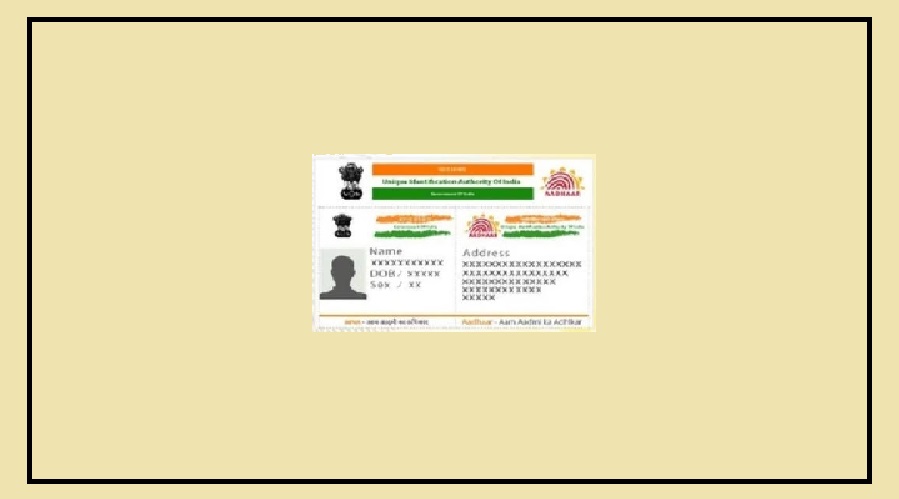
Today, the Aadhaar card has become one of the most important documents in India.

Contents
How to Download Aadhaar Through WhatsAppLink Your DigiLocker AccountOTP Verification and DownloadImportant Thing to Remember

It is required for many everyday tasks such as opening a bank account, getting a SIM card, applying for government schemes, or even checking into a hotel.

However, there are times when you suddenly need your Aadhaar card but don’t have a physical copy with you.

In such situations, your work may get delayed.

The good news is that you no longer need to carry your Aadhaar card everywhere.

The government has introduced a simple way to download it directly through WhatsApp.

With this method, you don’t need to visit the website of Unique Identification Authority of India or go through a long process.

How to Download Aadhaar Through WhatsApp

You can download your Aadhaar card in PDF format directly on your mobile phone using the MyGov Helpdesk chatbot.

First, save the official MyGov Helpdesk number +91-9013151515 on your phone.

After that, open WhatsApp and send a message like “Hi” or “Namaste” to this number.

Within a few seconds, the chatbot will reply and show several service options. From the list, you need to select DigiLocker Services.

Link Your DigiLocker Account

After choosing DigiLocker Services, the system will ask for your account details from DigiLocker.

If you already have a DigiLocker account, you can continue with the next step.

If not, you will first need to create an account using the DigiLocker app or website.

Make sure that your DigiLocker account is linked with your Aadhaar card.

Without this connection, the service will not work.

OTP Verification and Download

Next, you will need to enter your 12-digit Aadhaar number.

After submitting the number, an OTP will be sent to the mobile number linked with your Aadhaar.

Enter the OTP to complete the verification process.

Once the verification is successful, you will see a list of documents stored in DigiLocker.

If your Aadhaar card is already saved there, it will appear in the list.

Send the number shown next to the Aadhaar option.

After that, you will receive your Aadhaar card as a password-protected PDF file directly on WhatsApp.

Important Thing to Remember

This method works only if your Aadhaar card is already saved in DigiLocker.

If it is not saved yet, you should add it once to your DigiLocker account.

After doing this, you will be able to download your Aadhaar card anytime and from anywhere using WhatsApp.

This makes it much easier to access your document whenever you need it.

You Might Also Like

Tata Motors Stock Surges Over 9% in 3 Days
Electric Scooter Subsidy Extended till July 2026
Income Tax Act 2025 Comes into Effect from April 1
Gold Drops ₹6,000, Silver falls ₹16,000: Big Price cut
Government announces Major Benefits for People Over 60
Share This Article
Facebook Email Print
Leave a Comment

Leave a Reply Cancel reply

Your email address will not be published. Required fields are marked *

Difference Between NEFT and RTGS

Get Latest Updates

Important banking and money updates, delivered without the clutter.
Thank you! You are subscribed. Please check your inbox for the welcome email.

Popular Updates

sebi
SEBI Settlement Rules 2026 bring New Formula and Fast Track
10/10/2026
ICICI1 result
ICICI Bank Customers Get Travel Deals and Fashion Discounts
09/10/2026
nps
PhonePe and BHIM Users Can Open NPS Accounts Easily
09/10/2026
gst1
GST Changes bring Relief for Business Owners
09/10/2026
upi
UPI MDR may Shift to January 2027 from October 15
08/10/2026

Tags

  • Central Bank Of India
  • Pan Card
  • register mobile number
  • pan card new rule
  • Banking Service
  • HDFC
  • SBI Personal Loan
  • Net Banking
  • Activate Net Banking
  • What is Bank?

TheBankToday

TheBankToday publishes practical banking, personal-finance and financial-news explainers to help readers understand important updates and services.
Quick Links
  • About
  • Contact Us
  • Disclaimer
  • Join Us
  • T&C
  • Privacy Policy
  • Customize Interests
Important Links
  • Advertise With Us
  • Advertising Policy
  • Cookie Policy
  • Corrections Policy
  • Editorial Policy
  • Fact-Checking Policy
  • Grievance Redressal

Subscribe Us

Subscribe to our newsletter to get our newest articles instantly!

Thank you! You are subscribed. Please check your inbox for the welcome email.
© 2026 TheBankToday. All Rights Reserved.
Welcome Back!

Sign in to your account

Username or Email Address
Password

Lost your password?