
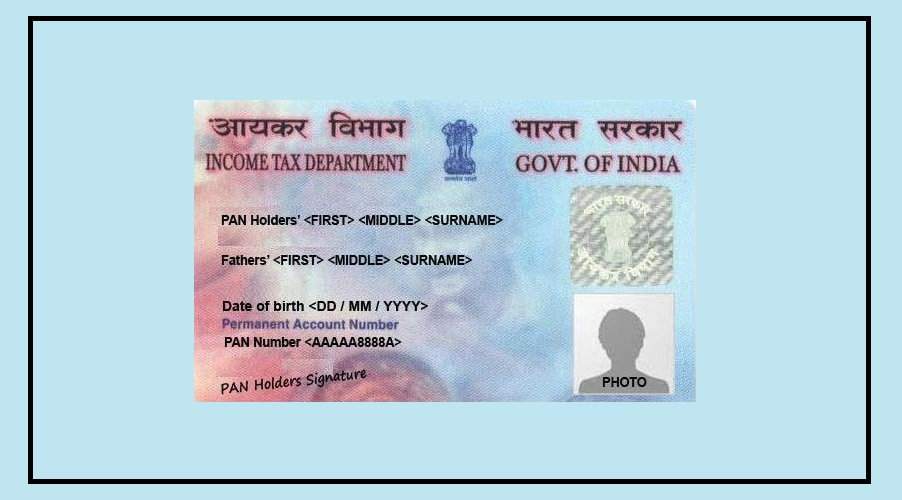

Let’s be honest—most people aren’t happy with the photo printed on their PAN card.
If your photo looks outdated or your signature has changed over time, there’s good news.
You can now update both your PAN card photo and signature online from your smartphone or computer without visiting any office.
The process is simple and costs just ₹107.
Once updated, you’ll receive a PAN card that reflects your latest photo and signature.
Documents You Need Before Starting
Before beginning the application, make sure you have the following documents ready:
Aadhaar Card, Driving Licence, or another valid identity proof
A recent passport-size photograph
A clear scanned image of your new signature
Aadhaar-linked mobile number for OTP verification
Having these documents ready beforehand will make the process much faster and smoother.
How to Update Photo or Signature on Your PAN Card
Follow these simple steps to submit your correction request online:
Step 1: Visit the PAN Correction Portal
Search for “NSDL PAN” online and open the official PAN services website.
Step 2: Select PAN Correction Option
On the homepage, go to the “Apply Online” section and choose “Changes or Correction in Existing PAN Data.”
Step 3: Fill Basic Details
Select “Individual” under the category section and enter details such as your name, date of birth, and contact information.
After submitting the information, a token number will be generated. Save this number for future reference.
Step 4: Continue the Application
Click on “Continue with PAN Application Form.”
Then select the option “Submit Scanned Images Through e-Sign.”
If you want a new physical PAN card, choose “Yes” when asked whether a physical card is required.
Step 5: Upload New Photo and Signature
Enter the required details, including your parents’ information.
Next, upload your new photograph and signature according to the size and format specified on the website.
Step 6: Pay the Processing Fee
After completing the form, pay the correction fee of ₹107.
Step 7: Complete Aadhaar Verification
Enter your Aadhaar number and verify the application using the OTP sent to your Aadhaar-linked mobile number.
Once the OTP is successfully verified, an acknowledgment receipt will be generated.
Important Things to Keep in Mind
To avoid delays or rejection of your application, remember these points:
Upload the photo and signature only in the format and size mentioned on the website.
Use an active email ID to receive updates and track your application status.
Ensure your mobile number is linked with Aadhaar, as OTP verification is mandatory.
Double-check all details before submitting the form.
Why Updating Your PAN Card Can Be Useful
A clear photo and correct signature can help avoid identity verification issues in the future.
Whether your appearance has changed, your old photo is unclear, or your signature has been updated, making these corrections can ensure that your PAN card remains accurate and up to date.
The entire process can be completed online, making it a quick and convenient way to refresh an important financial document.