
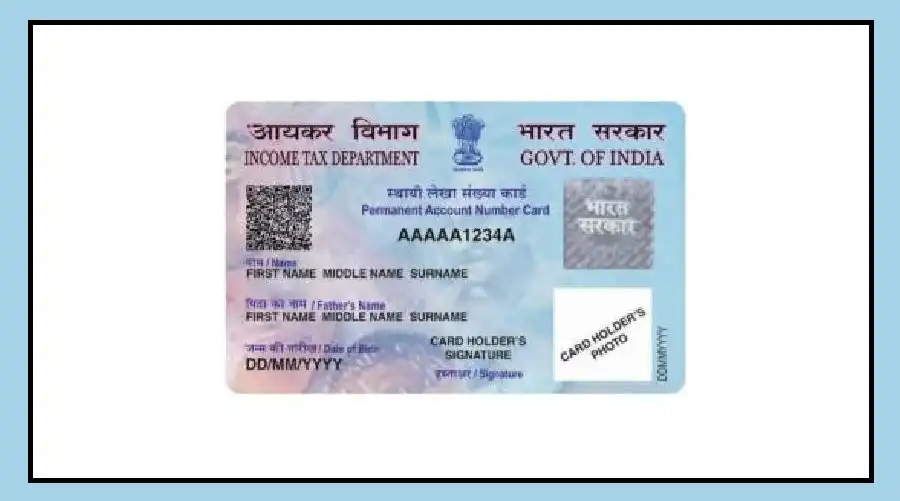

PAN Card photo signature update can now be requested online without applying for a completely new PAN.
If the photograph or signature on your existing PAN card is old or needs correction, you can submit a correction request and upload the required documents digitally.
A PAN is used for several financial and tax-related services, so keeping its details updated can be important when the existing photograph or signature no longer reflects the current information.
PAN Card Photo Signature Update Online
The online correction process requires applicants to keep their new photograph and signature ready in the format and size specified on the application portal.
Identity-related documents may also be required during the process.
Applicants may need an Aadhaar card, driving licence or another accepted identity document.
If Aadhaar-based authentication is used, the mobile number linked with Aadhaar should be active because an OTP may be required.
The process can be started through the online PAN application service by selecting the option for changes or correction in existing PAN data.
How to Change PAN Photo and Signature
First, applicants need to open the PAN application service and select the option for making changes or corrections to existing PAN data.
The individual category can then be selected before entering the requested basic details.
After submitting the initial information, a Token Number is generated.
Applicants should keep this number safe because it can be used to continue the application process.
The PAN application form can then be completed online.
Where the option is available, applicants can select the facility for submitting scanned images through e-Sign and upload the new photograph and signature.
The uploaded files should follow the size and format requirements displayed on the application portal.
Applicants should also carefully check the entered details before proceeding with payment.
Documents and Aadhaar Authentication
Once the required information and documents have been uploaded, the applicable fee has to be paid.
The applicant may then be required to complete Aadhaar-based authentication as part of the submission process.
An OTP can be sent to the mobile number linked with Aadhaar for authentication.
After successful verification and submission, an acknowledgement receipt is generated, which should be kept for future reference.
The exact documents and requirements can depend on the correction being requested.
Applicants should therefore check the instructions displayed on the official PAN application service before submitting their request.
What Happens After the Request
Changing a photograph or signature is handled as a correction to the existing PAN data. It does not mean that an individual needs to apply for a completely new PAN number.
Once the request has been submitted, applicants can retain the acknowledgement details to track or refer to the application.
If a physical PAN card is required after the correction, the relevant option can be selected during the application process.
For anyone whose PAN card carries an outdated photograph or signature, the online correction facility provides a way to submit the request remotely.
Applicants should ensure that the information and uploaded documents are accurate before completing the process.